[Avg. reading time: 17 minutes]
Docker Examples
Mac Users
Open Terminal
Windows Users
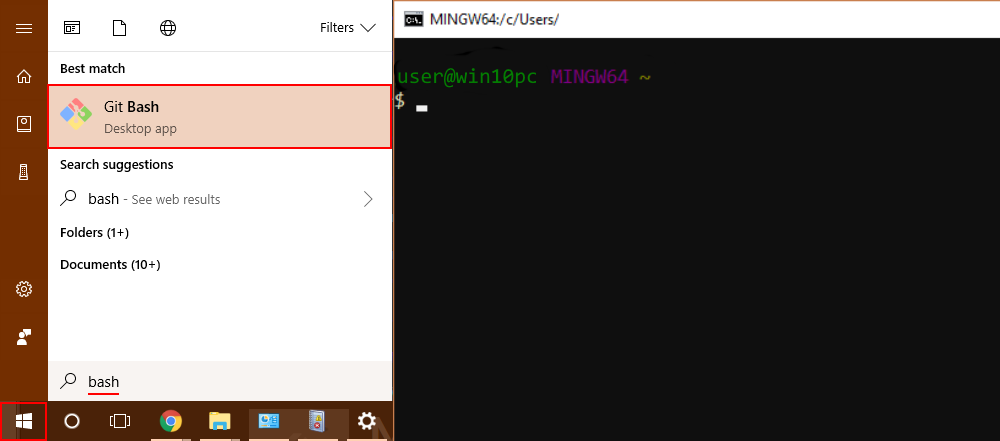
Open Git Bash
Is Docker Running?
docker info
- Lists images available on the local machine
docker image ls
- To get a specific image
docker image pull <imagename>
docker image pull python:3.12-slim
- To inspect the downloaded image
docker image inspect python:3.12-slim
Check the architecture, ports open etc..
- Create a container
docker create \
    --name edge-http \
    -p 8000:8000 \
    python:3.12-slim \
    python -m http.server
List the Image and container again
- Start the container
docker start edge-http
Open browser and check http://localhost:8000 shows the docker internal file structure.
docker inspect edge-http
- Shows all running containers
docker container ls
- Shows all containers
docker container ls -a
- Disk usage by images, containers, volumes
docker system df
- Logs Inspection
docker logs edge-http
docker inspect edge-http
- Stop and remove
docker stop edge-http
docker rm edge-http
docker run is a wrapper for docker pull, docker create, docker start
Deploy MySQL Database using Containers
Create the following folder
Linux / Mac
mkdir -p container/mysql
cd container/mysql
Windows
md container
cd container
md mysql
cd mysql
Note: If you already have MySQL Server installed in your machine then please change the port to 3307 as given below.
-p 3307:3306 \
Run the container
docker run --name mysql -d \
    -p 3306:3306 \
    -e MYSQL_ROOT_PASSWORD=root-pwd \
    -e MYSQL_ROOT_HOST="%" \
    -e MYSQL_DATABASE=mydb \
    -e MYSQL_USER=remote_user \
    -e MYSQL_PASSWORD=remote_user-pwd \
    docker.io/library/mysql:8.4.4
-d : detached (background mode) -p : 3306:3306 maps mysql default port 3306 to host machines port 3306 3307:3306 maps mysql default port 3306 to host machines port 3307
-e MYSQL_ROOT_HOST=“%” Allows to login to MySQL using MySQL Workbench
Login to MySQL Container
docker exec -it mysql bash
List all the Containers
docker container ls -a
Stop MySQL Container
docker stop mysql
Delete the container**
docker rm mysql
Preserve the Data for future
Inside container/mysql
mkdir data
docker run --name mysql -d \
    -p 3306:3306 \
    -e MYSQL_ROOT_PASSWORD=root-pwd \
    -e MYSQL_ROOT_HOST="%" \
    -e MYSQL_DATABASE=mydb \
    -e MYSQL_USER=remote_user \
    -e MYSQL_PASSWORD=remote_user-pwd \
    -v ./data:/var/lib/mysql \
    docker.io/library/mysql:8.4.4
-- Create database
CREATE DATABASE IF NOT EXISTS friends_tv_show;
USE friends_tv_show;

-- Create Characters table
CREATE TABLE characters (
    character_id INT AUTO_INCREMENT PRIMARY KEY,
    first_name VARCHAR(50) NOT NULL,
    last_name VARCHAR(50) NOT NULL,
    actor_name VARCHAR(100) NOT NULL,
    date_of_birth DATE,
    occupation VARCHAR(100),
    apartment_number VARCHAR(10)
);

INSERT INTO characters (first_name, last_name, actor_name, date_of_birth, occupation, apartment_number) VALUES
('Ross', 'Geller', 'David Schwimmer', '1967-10-02', 'Paleontologist', '3B'),
('Rachel', 'Green', 'Jennifer Aniston', '1969-02-11', 'Fashion Executive', '20'),
('Chandler', 'Bing', 'Matthew Perry', '1969-08-19', 'IT Procurement Manager', '19'),
('Monica', 'Geller', 'Courteney Cox', '1964-06-15', 'Chef', '20'),
('Joey', 'Tribbiani', 'Matt LeBlanc', '1967-07-25', 'Actor', '19'),
('Phoebe', 'Buffay', 'Lisa Kudrow', '1963-07-30', 'Massage Therapist/Musician', NULL);

select * from characters;
Build your own Image
mkdir -p container
cd container
Python Example
Follow the README.md
Fork & Clone
git clone https://github.com/gchandra10/docker_mycalc_demo.git
Web App Demo
Fork & Clone
git clone https://github.com/gchandra10/docker_webapp_demo.git
Docker Compose
Docker Compose is a tool that lets you define and run multi-container Docker applications using a single YAML file.
Instead of manually running multiple docker run commands, you describe:
- Services (containers)
- Networks
- Volumes
- Environment variables
- Dependencies between services
…all inside a docker-compose.yml file.
Sample docker-compose.yaml
version: "3.9"

services:
  app:
    build: .
    ports:
      - "5000:5000"
    depends_on:
      - db

  db:
    image: postgres:15
    environment:
      POSTGRES_PASSWORD: example
docker compose up -d
docker compose down
Usecases
- Reproducible environments
- Clean dev setups
- Ideal for microservices
- Great for IoT stacks like broker + processor + DB
Docker Compose Demo
https://github.com/gchandra10/docker-compose-mysql-python-demo
Publish Image to Docker Hub
Login to Docker Hub
- Create a Repository “my_faker_calc”
- Under Account Settings
- Personal Access Token
- Create a PAT token with Read/Write access for 1 day
Replace gchandra10 with yours.
docker login

enter userid
enter PAT token
Then build the Image with your userid
docker build -t gchandra10/my_faker_calc:1.0 .
docker image ls
Copy the ImageID of gchandra10/my_fake_calc:1.0
Tag the ImageID with necessary version and latest
docker image tag <image_id> gchandra10/my_faker_calc:latest
Push the Images to Docker Hub (version and latest)
docker push gchandra10/my_faker_calc:1.0
docker push gchandra10/my_faker_calc:latest
Image Security
Trivy
Open Source Scanner.
https://trivy.dev/latest/getting-started/installation/
trivy image python:3.12-slim

# Focus on high risk only

trivy image --severity HIGH,CRITICAL python:3.12-slim

# Show only fixes available
trivy image --ignore-unfixed false python:3.12-slim

trivy image gchandra10/my_faker_calc

trivy image gchandra10/my_faker_calc --severity CRITICAL,HIGH --format table

trivy image gchandra10/my_faker_calc --severity CRITICAL,HIGH  --output result.txt
Grype
Open Source Scanner
grype python:3.12-slim
Common Mitigation Rules
- Upgrade the base
- move to newer version of python if 3.12 has issues
- Minimize OS packages
- check our how many layers of packages are installed
- Pin versions on libraries
- requirements.txt make sure Library versions are pinned for easy detection
- Run as non-root
- Create local user instead of running as root
- Don’t share Secrets
- dont copy .env or any secrets in your script or application.